 Be
A beekeeping diary for your phone at the apiary and your computer at home.
BeeDiary remembers every inspection, treatment, feeding and extraction — by hive, by apiary, year after year. You write it down at the apiary, with gloves on and no internet. When the signal comes back and the app is open, everything sends itself.
The Android app is downloaded from here as an APK file of about 40 MB, not from Google Play. No iPhone app yet.
Already have an account? Sign in
The diary is free, with no time limit. In 32 languages.
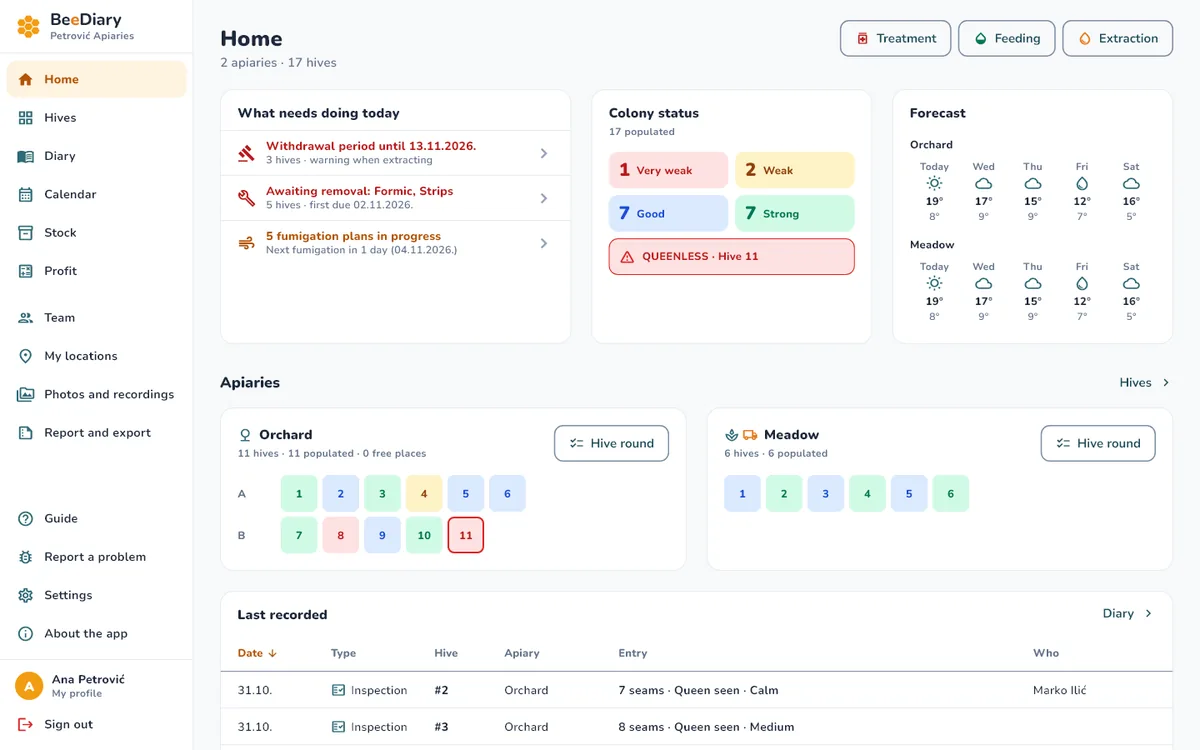
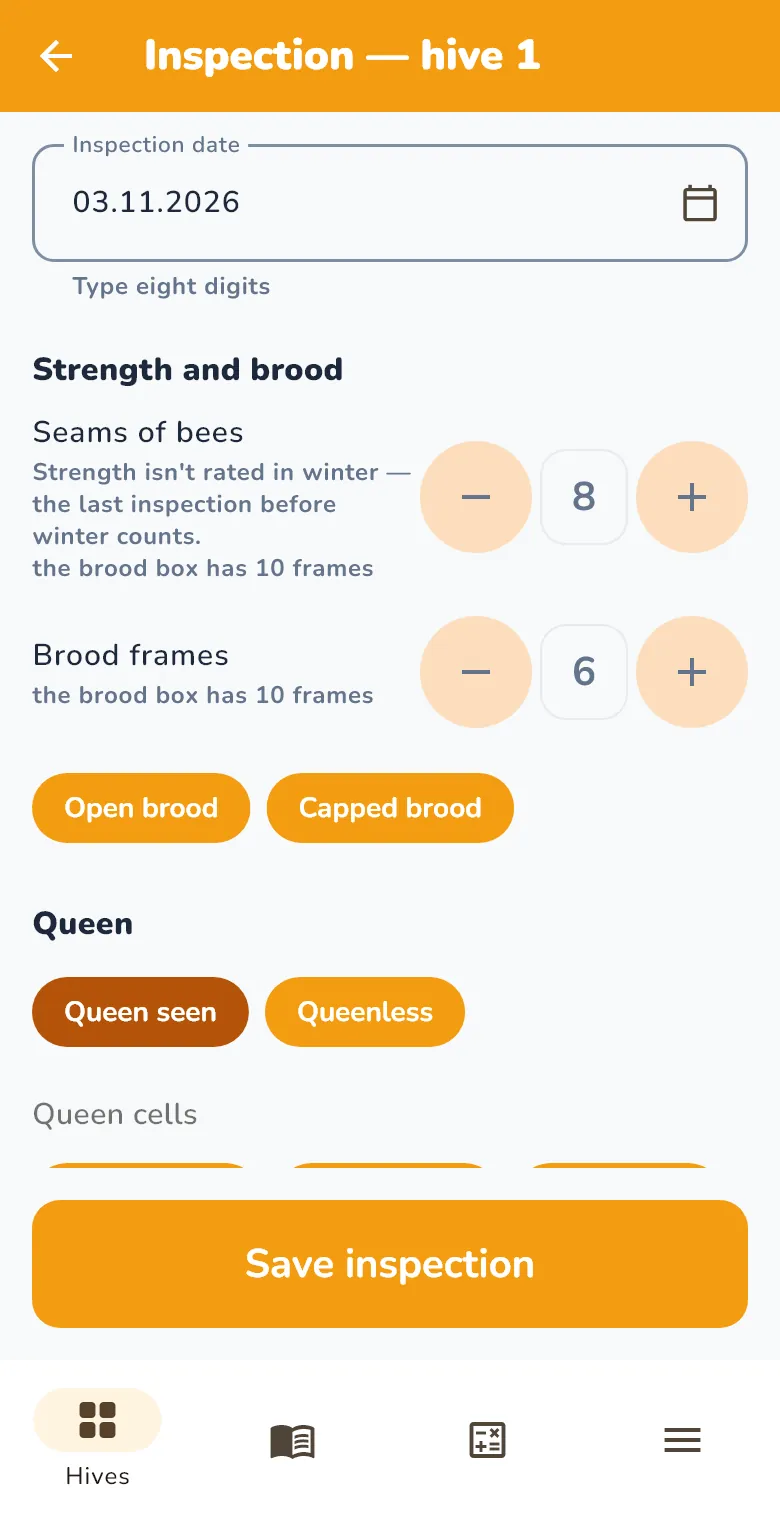
Phone at the apiary, computer at home
One account, the same data in both places. Everything you enter goes through the server, so your phone and your computer show the same thing.
At the apiary
- Works without signal: entries are saved on the phone and go to the server when the connection is back.
- Big buttons and clear text, for working in gloves and in bright sun.
- Dictate a note or record it by voice. At 8:00 the phone reminds you about strips to remove, withdrawal periods and fumigation.
At home
- Nothing to install: open app.mybeediary.com in your browser and sign in with the same account.
- The menu is on the left, and Home shows on one screen what needs doing today, colony status, the forecast and the latest entries.
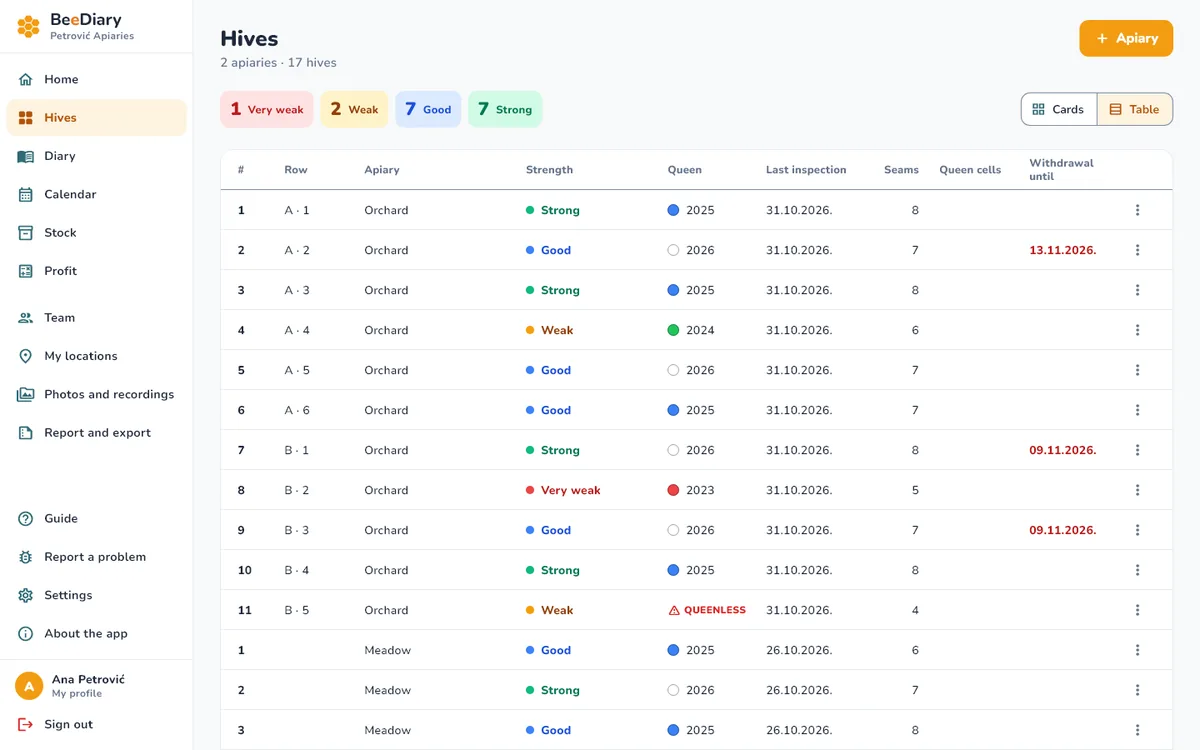
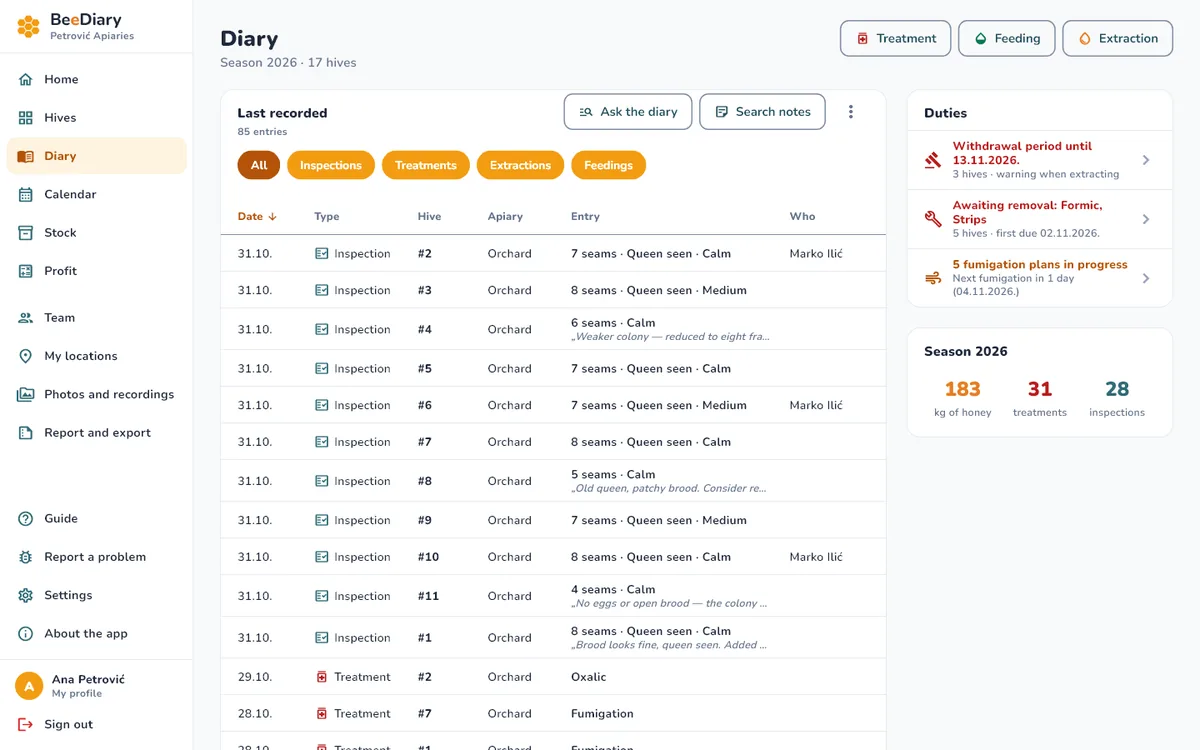
- Hives, Diary, Stock and Profit are tables you sort by clicking a column heading, so copying from your notebook goes faster.
Hive weight on a chart
Weigh the hive and enter the weight, and BeeDiary draws a chart and shows how much weight the hive gained or lost per day. The eKošnica scale is coming soon: with it, weighings arrive on their own and the chart fills in without any typing.


What it does
An inspection in two minutes.
Strength, queen, brood, stores. Dictate the note or record it by voice.
See it in the app
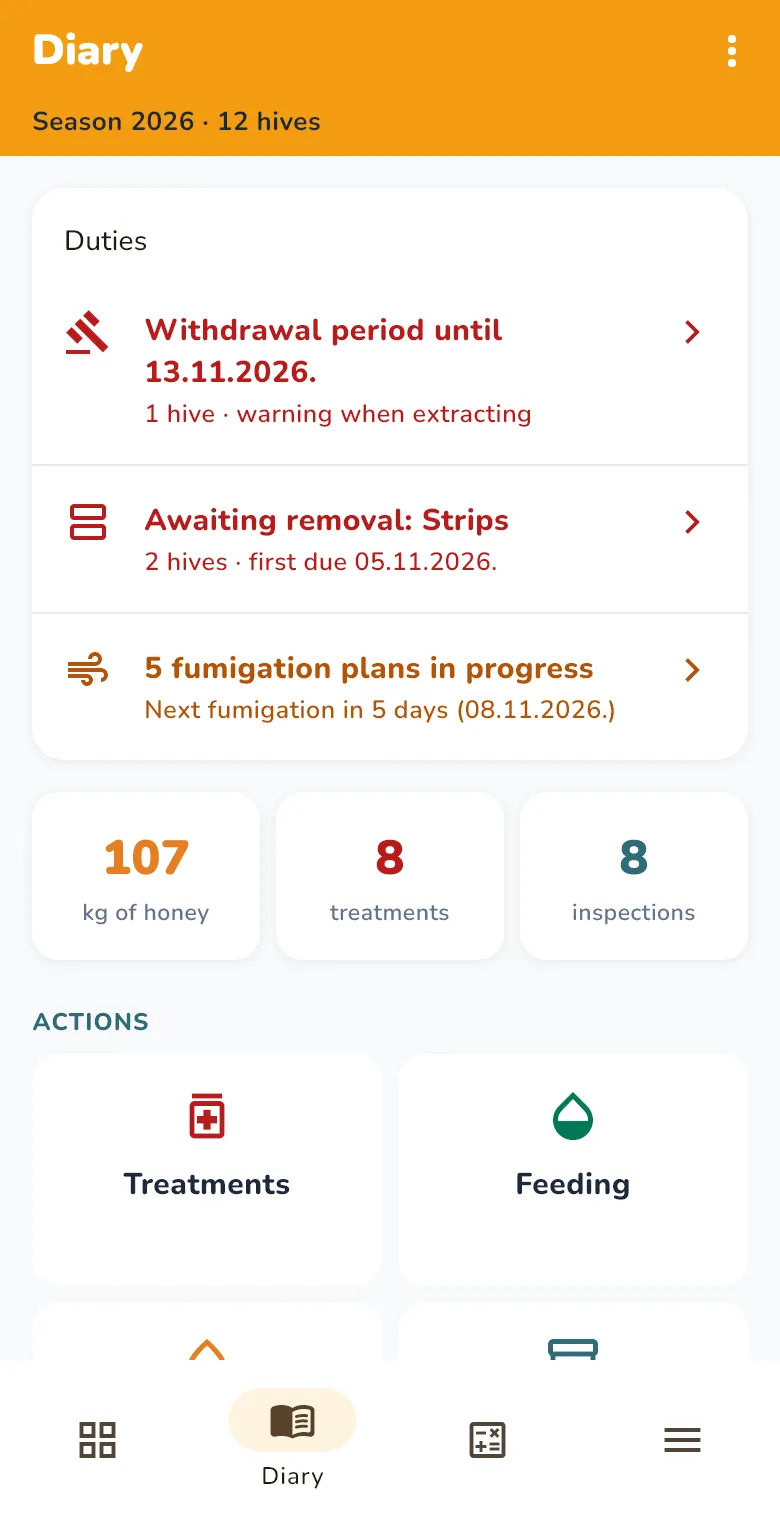
Duties in one place.
What needs taking out, when the withdrawal period ends, which hives are waiting for fumigation.
See it in the app
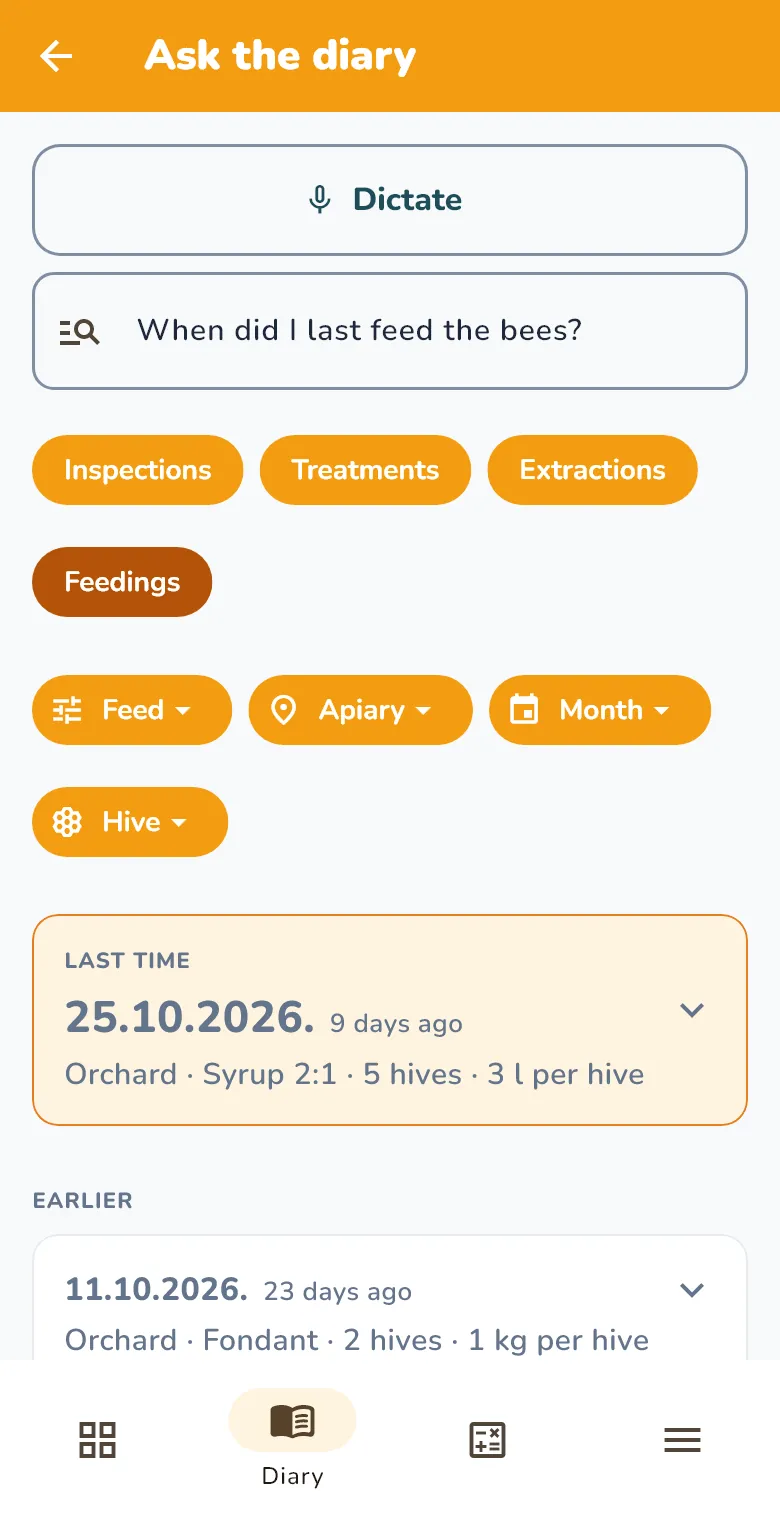
Ask the diary.
“When did I last feed the bees?” — and the answer is there.
See it in the app
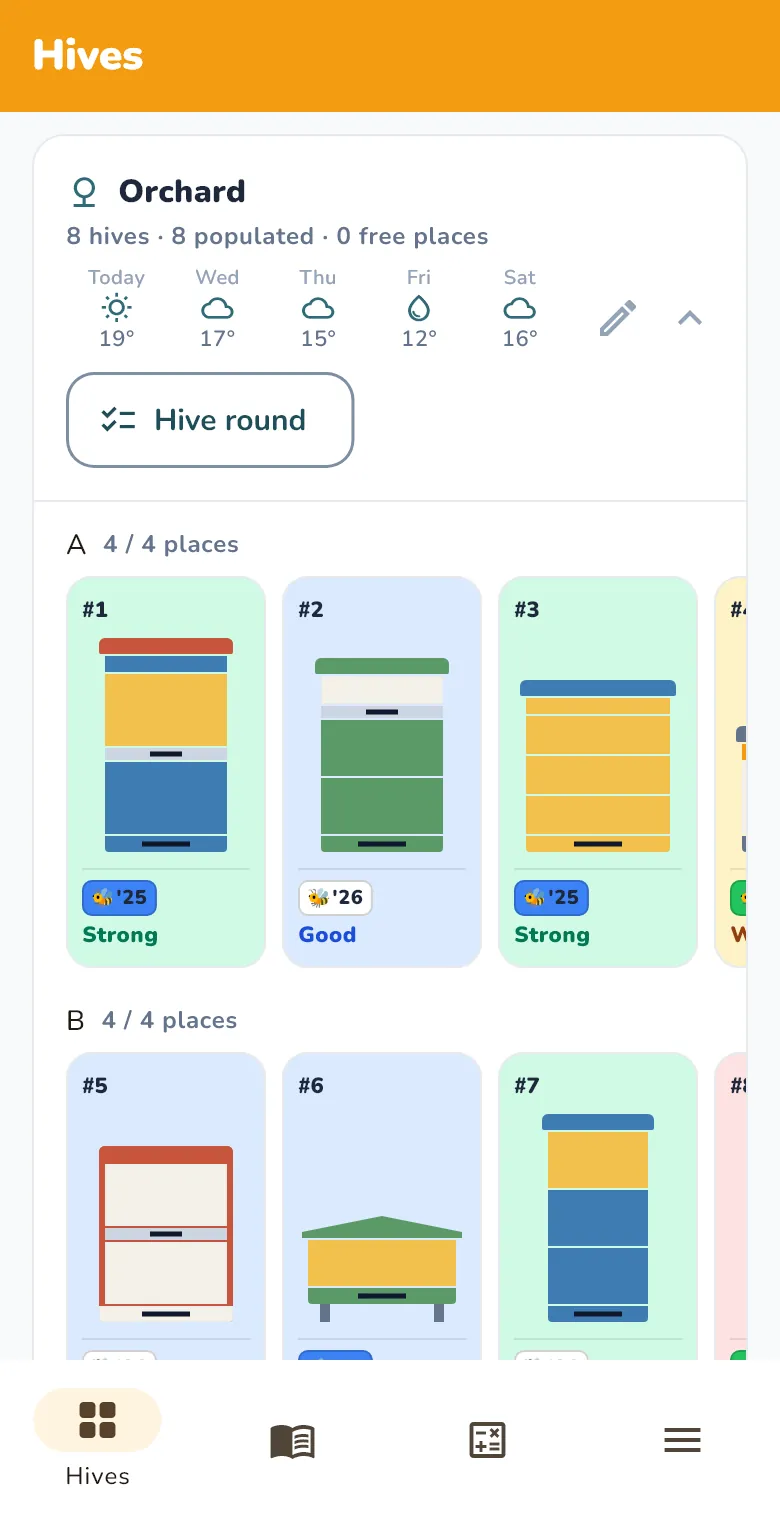
Hives as they are.
DB, LR, Farrar, AŽ, horizontal — with their supers and colours.
See it in the app
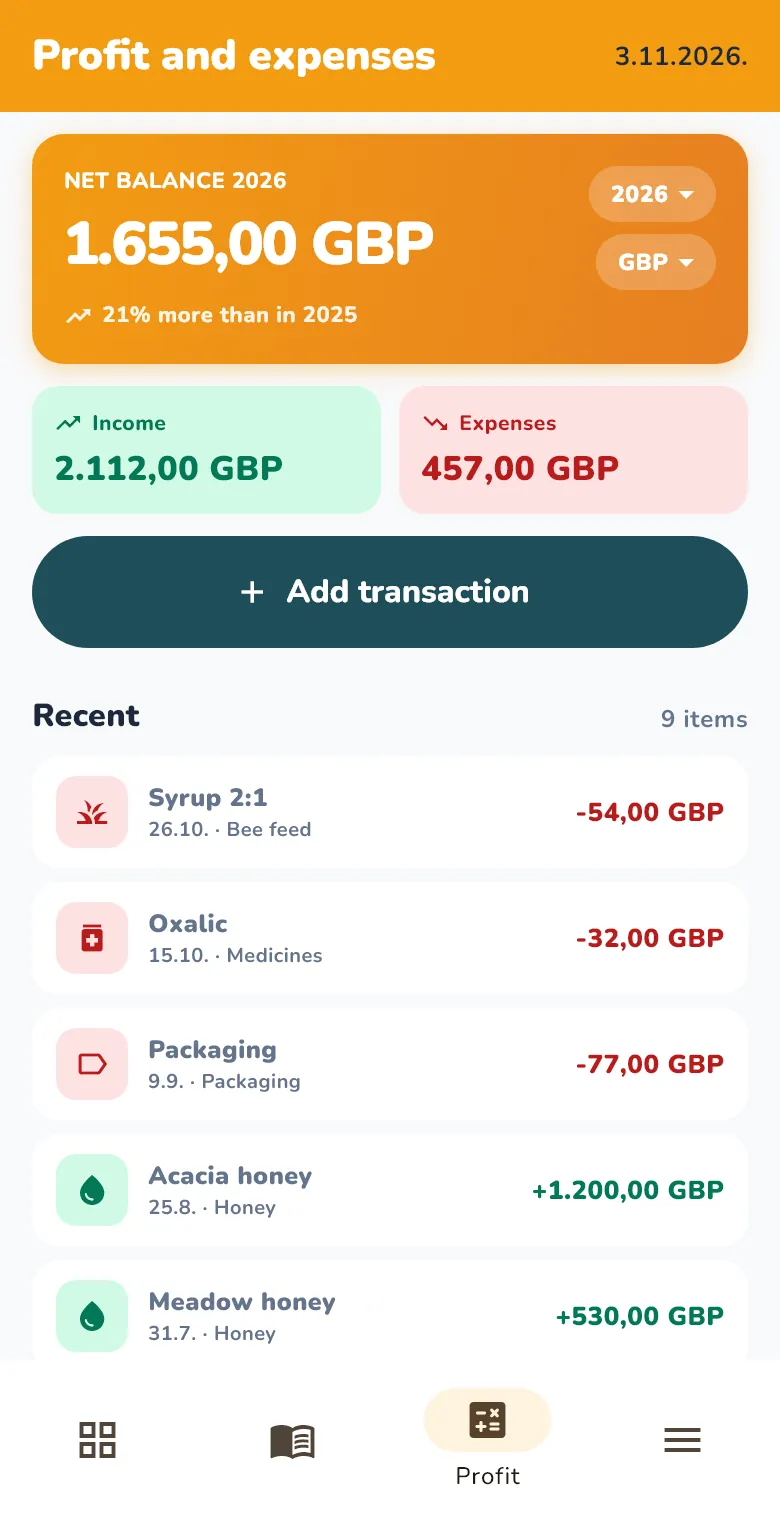
Forecast, stock and Profit.
A weather forecast for each apiary, honey and feed in stock, income and expenses.
See it in the app
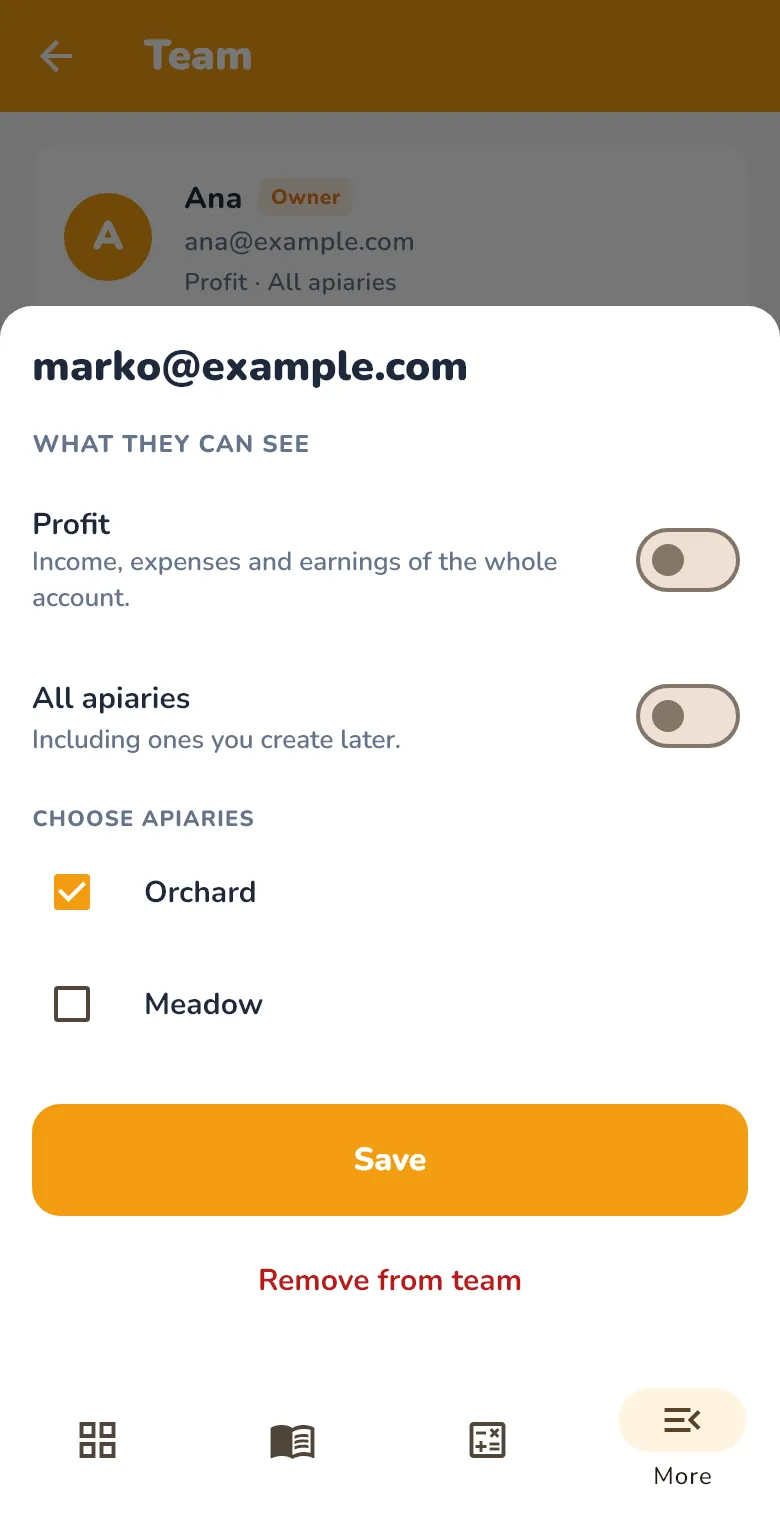
Team.
A helper sees only what you allow.
See it in the app
How to get started
Create an account
On the web or in the app, enter your email address and a password, then confirm the account by email. It’s free.
Add your apiary and hives
The app guides you step by step: mark the apiary on the map, then add hives with their type and number of frames.
Take your phone to the apiary
Install the app on your Android phone and sign in with the same account. Record in the field, and see everything on your computer at home.
Frequently asked questions
Does it work without internet?
On the phone, yes: you read and record without signal, and entries go to the server when the connection is back. You need internet to sign in. On a computer, you need internet to open the app.
How much does it cost?
The diary is free, with no time limit.
Can a helper use it too?
Yes. You invite them from the app, and they work in your account from their own phone. They see only the apiaries you choose, and Profit only if you allow it. You can invite one helper to your account.
How do I install it on Android, outside the store?
On your phone, tap “Download for Android” and open the downloaded file. Android will ask you to let your browser install unknown apps: allow it, then tap “Install”. You need Android 7 or newer. When a new version comes out, the app tells you.
What about iPhone?
There’s no iPhone app yet. Leave your email address below and we’ll let you know when it’s out.
Can I export my data?
Yes. The account owner downloads all the data entered in the account as one ZIP file with CSV tables, for Excel or another program. The yearly summary can also be saved as a PDF.
Which languages is it in?
32 languages, with Serbian and Montenegrin also in Cyrillic. The list is at the bottom of this page, and you change the app’s language in the settings.
Tell me when it’s out for iPhone
There’s no iPhone app yet. Leave your email address and we’ll write to you once, when it’s out.
We’ll send you an email to confirm. Unsubscribe with one click. Privacy